A Tanzania safari offers some of the most extraordinary photography opportunities on Earth. Lions stalking through golden grass, elephants silhouetted against a crimson sunset, the Great Migration thundering across the plains — these are the images that stay with you forever. But capturing them well requires more than just pointing and shooting.
This guide covers everything you need to know about safari photography: what camera gear to bring, the best settings for wildlife, composition techniques used by professionals, animal-specific tips, how to shoot from a safari vehicle, and even how to get great photos with just your smartphone. Whether you are a seasoned photographer or a first-time safari-goer with a phone, you will leave with better photos.
The golden rule of safari photography: The best camera is the one you have with you. Do not let gear anxiety ruin your safari. A well-composed phone photo of an incredible moment is worth more than a technically perfect shot you missed while fiddling with settings. Focus on being present, and the photos will follow.
Essential Camera Gear for Safari
Here is what to bring, organised by priority:
Essential Gear
- Camera body: DSLR or mirrorless with good autofocus and burst mode. Crop sensor (APS-C) is fine — the extra reach helps with wildlife.
- Telephoto lens: 100–400mm or 70–200mm with extender. This is your most important lens. 90% of safari shots need reach.
- Extra batteries: At least 2–3. Cold mornings drain batteries fast. Charge every night.
- Memory cards: 128GB+ total. You will shoot more than you expect. 64GB cards x 3 is ideal.
- Lens cleaning kit: Dust is everywhere on safari. A blower, brush, and microfiber cloth are essential.
Highly Recommended
- Wide-angle lens: 16–35mm for landscape shots, camp scenes, and environmental portraits.
- Beanbag or window mount: Essential for stabilising your lens on the vehicle window. Far better than a tripod.
- Polarising filter: Reduces glare, deepens blue skies, cuts through dust haze.
- External hard drive: Back up your photos each evening. A laptop or tablet for editing and backups is ideal.
- Rain cover: Dust and light rain protection for your gear. A simple plastic bag works too.
Nice-to-Have
- 2x teleconverter: Extends your reach (e.g., 400mm becomes 800mm). Be aware of light loss (1–2 stops).
- Second camera body: Avoid changing lenses in dusty conditions. One body with telephoto, one with wide-angle.
- Gimbal head / monopod: For heavy telephoto lenses. A sturdy monopod with a gimbal head helps track moving animals.
- Remote shutter release: For landscape long exposures or camp astrophotography.
- GoPro or action cam: Great for vehicle footage, time-lapses, and behind-the-scenes video.
Dust warning: Tanzania is dusty, especially in the dry season. Never change lenses outside the vehicle or in windy conditions. Use a jacket or towel to create a dust-free changing tent. Carry a rocket blower and use it before every lens change. Dust on your sensor will ruin hours of photos.
Camera Settings Cheat Sheet
These settings will cover 90% of safari photography situations. Adjust as needed:
| Situation | Shutter Speed | Aperture | ISO | Drive Mode | Focus Mode |
|---|---|---|---|---|---|
| Stationary animal (portrait) | 1/250s–1/500s | f/4–f/5.6 | 200–800 | Single shot | Single-point AF |
| Walking animal | 1/500s–1/1000s | f/5.6–f/8 | 400–1600 | Continuous low | Continuous AF (AI Servo / AF-C) |
| Running / flying animal | 1/2000s–1/4000s | f/5.6–f/8 | 800–3200 | Continuous high | Continuous AF + zone/group AF |
| Golden hour (sunrise/sunset) | 1/100s–1/500s | f/2.8–f/5.6 | 100–800 | Single shot | Single-point AF |
| Bird in flight | 1/2500s–1/5000s | f/5.6–f/8 | 800–3200 | Continuous high | Zone / wide-area AF |
| Low light / dusk | 1/100s–1/320s | f/2.8–f/4 (wide open) | 1600–6400 | Single shot | Single-point AF |
| Landscape (camp / scenery) | 1/60s–1/250s | f/8–f/11 | 100–400 | Single shot | Single-point AF |
| Phone photo (any situation) | Auto / Pro mode 1/120s+ | Auto (portrait mode for animals) | Auto | Burst mode for action | Tap to focus on animal's eye |
Pro tip: Use aperture priority mode (Av/A) for most situations. Set your aperture to f/5.6–f/8 (sharpest for most lenses) and let the camera choose shutter speed. Use exposure compensation (+/-) to brighten or darken. Switch to shutter priority (Tv/S) only when you need a minimum shutter speed for action shots.
Composition & Techniques
Great wildlife photography is as much about composition as it is about gear:
Golden Hour Shooting
The first and last hours of daylight produce the best light for wildlife photography. The low angle creates long shadows, warm tones, and soft light that flatters every subject. Plan your game drives around these times — which your guide will do anyway. During midday, review photos, edit, and rest. Do not waste your best shooting light on landscapes — save it for the animals.
Rule of Thirds & Framing
Place your subject on the intersecting points of a 3x3 grid rather than dead centre. Leave space in the direction the animal is looking or moving (lead room). Include environmental context — a lion on a rock with the Serengeti stretching behind tells a story, while a tight headshot is just a portrait. Use natural frames like acacia branches, grass, or vehicle windows.
Backlighting & Silhouettes
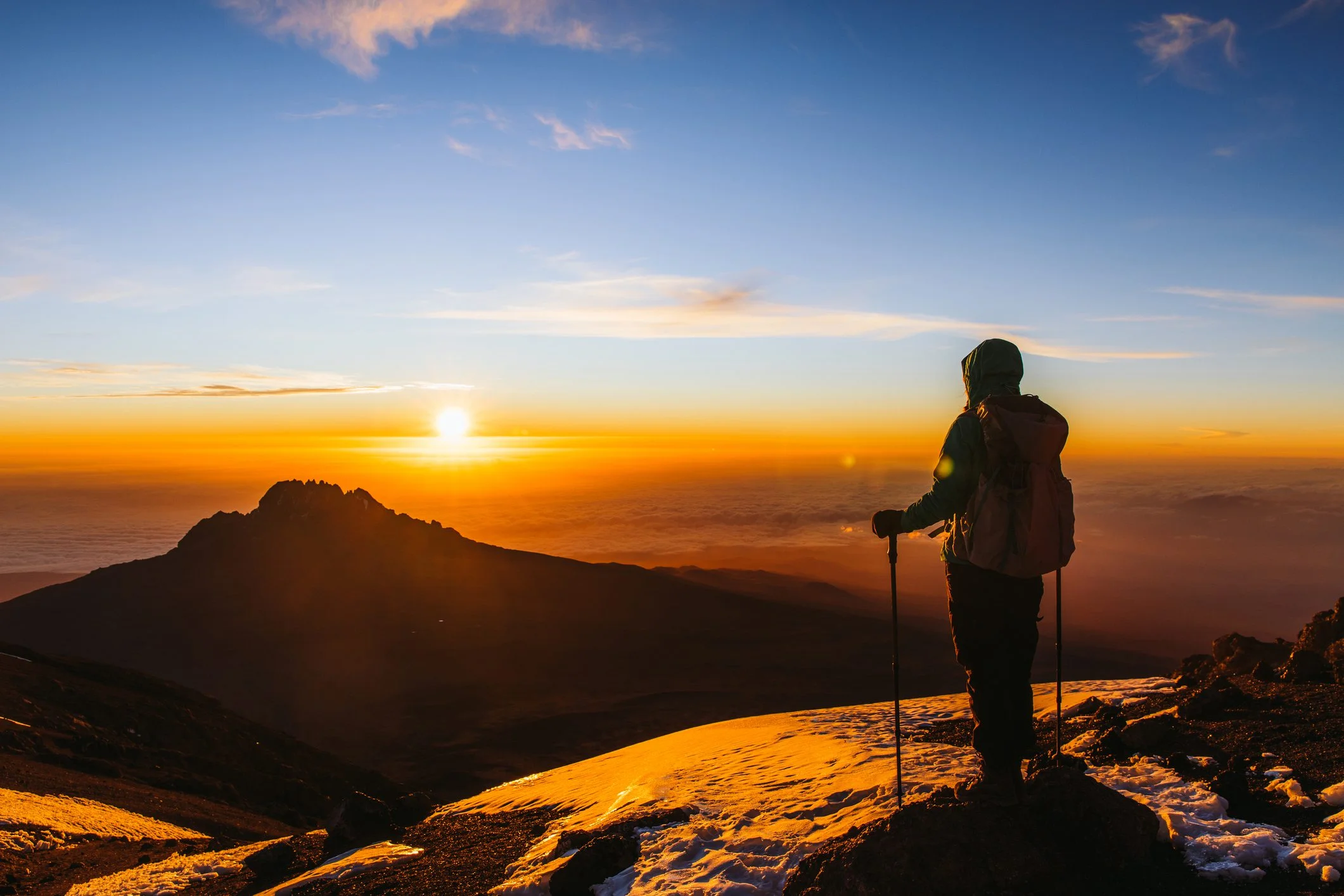
Some of the most dramatic safari photos use backlight. Position yourself so the sun is behind your subject. Expose for the sky (tap on the bright background) and let the animal become a silhouette. This works beautifully at sunrise and sunset with elephants, giraffes, and acacia trees. For backlit portraits with detail, use fill flash or expose for the animal and let the background blow out.
Action & Movement
For running animals, use continuous high-speed burst mode and continuous autofocus (AF-C / AI Servo). Pan with the animal — move your camera smoothly to follow its movement. A shutter speed of 1/2000s or faster freezes action. For creative motion blur, try 1/30s–1/60s while panning to blur the background while keeping the animal sharp. Practice this — it takes skill but produces stunning results.
Animal-Specific Photography Tips
Each animal presents unique photography opportunities and challenges:
- Focus on the eyes — sharp eyes make or break a wildlife photo
- Shoot at eye level with the animal (your guide will position the vehicle)
- Use a wide aperture (f/2.8–f/4) for creamy background blur
- Patience pays — wait for them to yawn, stretch, or make eye contact
- Capture interactions between pride members for storytelling shots
- Wide shots showing the landscape emphasise their scale
- Detail shots of trunks, tusks, eyes, and wrinkled skin are powerful
- Silhouettes at sunset are iconic — underexpose by 1–2 stops
- Capture dust bathing — the dust in golden light is magical
- Family groups with babies offer heartwarming compositions
- Vertical compositions work best to capture their full height
- Shoot against a clear sky or golden grass for contrast
- Capture them drinking (legs splayed) — it is an awkward pose
- Giraffes walking in a line creates a beautiful repeating pattern
- Use a slower shutter speed for elegant motion blur as they run
- Fast shutter speed (1/2500s+) is essential for birds in flight
- Use zone/group AF to track birds against the sky
- Focus on the eye — bird eyes are incredibly expressive
- Tanzania has 1,100+ bird species — photograph the colourful ones
- Birds of prey in flight against a blue sky are spectacular
- Herd shots emphasise the scale of the migration — zoom out
- Zebra stripes create beautiful patterns — fill the frame
- Dust clouds during migration make dramatic, atmospheric images
- Capture river crossings from a distance to show the crowd
- Black and white conversions work brilliantly with zebra stripes
- Cheetahs are often in open plains — use the golden grass as foreground
- Leopards are elusive — look in trees and rocky outcrops
- Be ready for sudden sprints — keep your camera on and settings ready
- Leopards draped over tree branches make beautiful compositions
- Use continuous high burst mode for any sudden movement
Shooting from a Safari Vehicle
Most of your photography will happen from inside a safari vehicle. Here is how to make the most of it:
- Use a beanbag on the window sill: This is the single best stabilisation method. Fill a beanbag with rice or beans. Rest your lens on it and adjust the angle by sliding the bag. Far more practical than a tripod in a vehicle.
- Turn off the engine: Engine vibrations cause blur at slow shutter speeds. Ask your guide to turn off the engine when stopped for photography. Most guides will happily oblige.
- Shoot from the roof hatch: The pop-up roof gives you 360-degree access and a higher vantage point. Stand on the seat for stability. A window beanbag works on the roof edge too.
- Communicate with your guide: Tell your guide what you want to photograph. They can position the vehicle for the best light, angle, and background. A good guide is your best photography assistant.
- Use the right seat: The seat behind the driver often has the best window access. In a group vehicle, discuss seating rotation so everyone gets their turn at the prime spot.
Vehicle photography pro tip: Set your lens to image stabilisation mode 2 (panning mode) if available. This stabilises vertical movement while allowing horizontal panning. It makes a huge difference when tracking moving animals from a vehicle.
Smartphone Safari Photography
You do not need a professional camera to get amazing safari photos. Modern smartphones are incredibly capable:
Tap to Focus & Expose
Tap on the animal's face or eye to set focus and exposure. Swipe up/down to adjust brightness. This simple technique transforms phone photos from snapshots to portraits.
Use 2x & 3x Zoom
Optical zoom (2x or 3x) gives better quality than digital zoom. If your phone has a telephoto lens, use it. For digital zoom, move closer physically or crop later.
Portrait Mode for Wildlife
Portrait mode creates background blur (bokeh) that mimics a DSLR. Use it for stationary animals, especially big cats and primates. Works best with good light.
Shoot Video, Extract Frames
For action shots (running cheetahs, birds taking off), shoot 4K video at 60fps. Pause and screenshot the best frame. This gives you sharp action shots you would miss with still mode.
Golden Hour Priority
Phone sensors need good light. Focus your phone shooting on early morning and late afternoon. Midday phone photos often look flat and washed out due to harsh light and sensor limitations.
Edit Before Sharing
Use your phone's built-in editor or apps like Lightroom Mobile. Boost contrast, reduce highlights, increase clarity, and add a touch of warmth. A 30-second edit transforms a flat photo into a stunning one.
Phone photographers: Bring a portable power bank. Camera apps and continuous shooting drain phone batteries fast. A 10,000mAh+ power bank will keep your phone charged for 2–3 days. Also bring a phone clamp that attaches to the vehicle window for stability.
Editing & Post-Processing Tips
Great editing elevates good photos to stunning ones. Here is how to approach it:
- Shoot in RAW if possible: RAW files contain more data and give you far more flexibility in editing. The downside is larger file sizes and the need for post-processing software. If you are not comfortable with RAW, shoot in the highest quality JPEG setting.
- Start with exposure and contrast: Adjust exposure so the histogram is balanced. Boost contrast to add depth. Safari photos often benefit from increased clarity and texture sliders.
- White balance matters: Golden hour photos look best with a warmer white balance (5500–6500K). Midday photos benefit from a cooler temperature (5000–5500K). Use the eyedropper tool on a neutral grey area for accurate colour.
- Sharpen selectively: Use masking to sharpen only the animal's eye and key features, not the background or noise. Over-sharpening creates artefacts — less is more.
- Reduce noise carefully: High ISO images (1600+) will have noise. Use noise reduction sparingly — too much makes photos look plastic. Modern software like Lightroom, Topaz Denoise, or DxO PureRaw do an excellent job.
- Crop intentionally: Crop to improve composition, remove distractions, or zoom in on the action. Keep the aspect ratio consistent (3:2 or 4:3) for a professional look. Do not overcrop — you lose resolution.
Editing workflow for safari photos: Import → Cull (delete blurry, poorly exposed shots) → Select your best 20–30 photos per day → Edit (exposure, contrast, white balance, sharpening) → Export → Back up to hard drive. Do this each evening so you start fresh the next day. Do not try to edit 500 photos — focus on your best ones.
What NOT to Do on Safari Photography
Common mistakes that can ruin your photos or your safari experience:
Do not use flash on animals
Flash disturbs wildlife and creates harsh, unnatural light. It also reflects off eyes and dust particles, ruining photos. Switch flash off permanently on safari. Natural light is always better.
Do not make loud noises
Shouting, slamming doors, or playing sounds from your phone startles animals and ruins the experience for everyone. Stay quiet, move slowly, and let the animals come to you.
Do not ask the guide to break park rules
Do not ask your guide to drive off-road for a better angle, get too close to animals, or stay past park closing time. Respect the rules — they exist to protect wildlife and ensure everyone's safety.
Do not spend the whole safari behind your camera
Put the camera down sometimes. Watch a lioness with your own eyes. Feel the Serengeti wind. The best memories are not always through a viewfinder. Balance photography with being present.
Do not ignore the background
A cluttered background with other vehicles, roads, or buildings ruins an otherwise great wildlife shot. Wait for the animal to move, or ask your guide to reposition the vehicle for a cleaner background.
Do not forget backup and battery management
Losing photos due to a corrupted memory card or dead battery is devastating. Back up daily, carry spare batteries, format cards in-camera (not on computer), and use high-quality brand-name memory cards.
Photography Packing List
A quick checklist of everything photography-related to pack for your safari:
Camera body (1–2x)
DSLR or mirrorless with good autofocus
Telephoto lens (100–400mm+)
Your most important piece of gear
Extra batteries (2–3x)
Cold mornings drain batteries fast
Memory cards (128GB+ total)
64GB cards x 3, high-speed UHS-II/U3
Beanbag for window support
Fill with rice/beans on arrival
Lens cleaning kit
Blower, brush, microfiber cloths (x3)
External hard drive / laptop
Back up photos every evening
Rain/dust cover for camera
Plastic bag or proper rain cover
Power bank (10,000mAh+)
For phone and camera charging
Universal travel adapter
Tanzania uses UK-style Type G plugs
Frequently Asked Questions
Not at all. While a DSLR or mirrorless camera with a telephoto lens gives you more options, many incredible safari photos are taken with smartphones. Modern phones have excellent cameras, portrait modes, and even telephoto lenses. The most important factors are understanding light, composition, and timing — not the price of your gear. Many professional photographers will tell you that the best camera is the one you have with you. Focus on technique, and your phone will deliver photos you will treasure.
A 100–400mm zoom lens is the most versatile safari lens. It gives you enough reach for distant animals while still allowing wider shots when animals approach the vehicle. A 70–200mm with a 1.4x teleconverter is also excellent. If you can only bring one lens, make it a telephoto zoom. For a second lens, a 24–70mm or 16–35mm covers landscapes, camp scenes, and environmental shots. Prime lenses (fixed focal length) are sharper but less flexible — you do not want to be changing lenses in dusty conditions.
Camera shake is the biggest enemy of sharp safari photos. Use a beanbag on the window sill as a stabiliser — it is far more effective than image stabilisation alone. Rest your elbows on your knees or the door frame for added stability. Use a fast shutter speed (1/500s+ for stationary animals, 1/2000s+ for action). Turn off the vehicle engine when stopped. If using a long lens (400mm+), support the lens barrel rather than the camera body. Practice holding your breath while pressing the shutter.
For moving animals, use shutter priority mode (Tv/S) and set your shutter speed to at least 1/1000s. For fast-moving animals (cheetahs running, birds in flight), use 1/2000s–1/4000s. Set your drive mode to continuous high-speed burst. Use continuous autofocus (AF-C / AI Servo) with zone or group AF points to track the animal. Start shooting before the action begins — by the time you see the perfect moment, it may be gone. Shoot in bursts of 3–5 frames rather than holding down the shutter.
Absolutely. Modern smartphones are incredibly capable for safari photography. Use these tips: tap to focus on the animal's eye, use 2x/3x optical zoom (not digital), enable portrait mode for background blur, shoot in good light (golden hour), use burst mode for action, and edit your photos afterward. A phone clamp mount for the vehicle window adds stability. Many award-winning wildlife photos have been taken on phones — the key is being in the right place at the right time and composing well.
Dust is the number one enemy of camera gear on safari. Carry a rocket blower and microfiber cloth and use them before every lens change. Never change lenses outside the vehicle or in windy conditions. Use a jacket, towel, or专门的 changing tent to create a dust-free zone. Keep your camera bag zipped when not in use. Use a UV filter on your lens as a sacrificial layer — clean the filter, not the lens element. At camp, keep your gear inside a sealed bag or case when not in use.
The golden hours — the first hour after sunrise and the last hour before sunset — are universally the best times for wildlife photography. The light is warm, soft, and directional, creating beautiful textures and depth. Animals are most active during these cooler periods. Plan your game drives around these times: 6:30–10:00 AM and 4:00–6:30 PM. Use midday (10 AM–4 PM) for resting, reviewing photos, editing, and charging batteries. The harsh overhead light at midday creates unflattering shadows and washed-out colours.
Shoot in RAW if you plan to edit your photos. RAW files contain all the data captured by your sensor, giving you far more flexibility to adjust exposure, white balance, contrast, and colour recovery in post-processing. The downsides: larger file sizes (30–50MB per photo) and the need for editing software. If you do not want to edit and just want shareable photos, shoot in the highest quality JPEG setting. Some photographers shoot RAW+JPEG — JPEG for quick sharing, RAW for editing later. Bring enough memory cards for RAW shooting — a 128GB card holds approximately 2,500–4,000 RAW photos.
For fences or obstacles, use your widest aperture (lowest f-number) to blur the obstruction. Get as close to the fence as possible while focusing on the animal beyond. Use a long lens to compress the depth of field. For grass, wait for the animal to move into a clearing, or reposition yourself to shoot over the grass (the vehicle's elevated position helps). In post-processing, the spot healing brush can remove minor obstructions. Never crop out the environment entirely — grass framing can actually add depth and a sense of habitat to your photo.
Adobe Lightroom is the industry standard for wildlife photo editing. It handles RAW files, has excellent noise reduction, powerful selective editing tools, and is available as a mobile app. Other great options: Capture One (pro-level), Luminar Neo (AI-powered), DxO PhotoLab (excellent noise reduction), and Affinity Photo (one-time purchase, no subscription). For free options, GIMP and Darktable are capable. For phone editing, Lightroom Mobile and Snapseed are excellent and free. Whatever you use, focus on the basics: exposure, contrast, white balance, sharpening, and cropping — do not over-edit.